Invoice Maker - Tiny Invoice
TinyWork AppsBusiness
4.4422.00 Reviews
- Version
- 6.0.11
- Installs
- 100.00K
- Age Rating
- Everyone
Screenshots
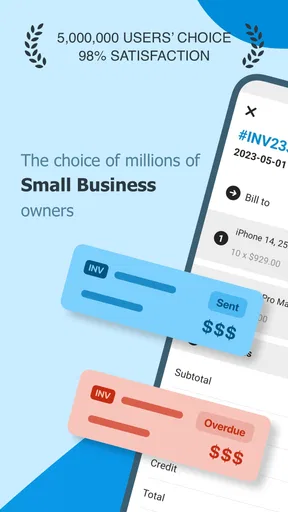
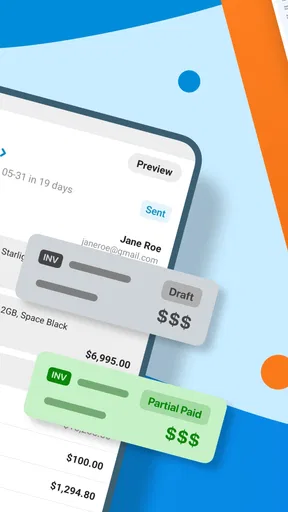
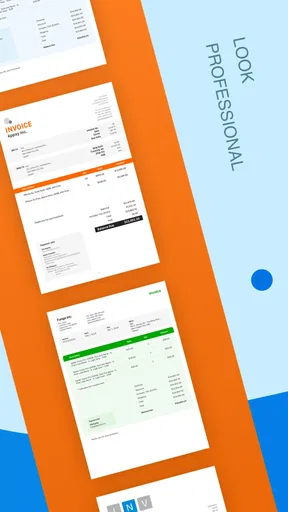
Our Review of Invoice Maker - Tiny Invoice
 Analysis by Appyee
I judge invoicing apps by a simple test: can I finish the paperwork after a job without turning a quick admin task into an evening project? Invoice Maker - Tiny Invoice looks aimed at that everyday need. It is a free business app from TinyWork Apps, and its appeal is the promise of handling routine billing from a phone. My overall take is that it can suit freelancers and small operators who want invoicing and basic expense organization close at hand, but it should not be mistaken for a complete accounting system.
Where a phone-based workflow earns its keep
The practical advantage is having client and billing work available when I am away from a desk. Imagine finishing a repair visit or a short design job, then using the quiet moment before leaving to prepare the invoice while the agreed work and costs are still fresh. That can reduce the chance of forgetting a line item or putting off billing until the end of the week. For a person who handles a modest number of straightforward jobs, that convenience may matter more than the depth of a desktop finance suite.
The app’s stated focus is invoice creation, and the version available is 6.0.8. It has been around since July 14, 2016, and its minimum Android requirement is version 6.0. That makes it relevant to people using a range of Android devices, though I would still check that a particular phone runs smoothly before moving important business routines onto it. The age rating is Everyone, which fits a general business tool rather than an app intended for a narrow audience.
Good habits that make the workflow more useful
A small but useful habit is to prepare a consistent starting point for repeat work: settle on a visual style, decide how you name clients, and keep descriptions of common services clear and specific. That way, creating the next invoice is less about reconstructing what you did and more about checking the details. It also helps a client recognize your paperwork without making every document look like a separate experiment.
For work with recurring charges, I would treat automation as a convenience that still needs oversight. Before relying on scheduled invoices, review the client, amount, timing, and service description carefully; a recurring document is only helpful when the arrangement has not changed. If a project pauses or a rate is renegotiated, a quick review can prevent an old billing pattern from carrying on by mistake. Automation saves repeated typing, not the judgment involved in deciding what should be billed.
Currency and tax choices also deserve a deliberate check. When a client is abroad or tax treatment differs between jobs, confirm the currency and applicable rate before sending anything. A selectable currency can make cross-border billing easier, but it does not remove the responsibility to apply the right terms or meet local requirements. I would use the app to organize the invoice, then verify any unusual tax situation against the rules that apply to the business.
How it compares with the usual alternatives
Compared with drafting invoices in a word processor or spreadsheet, a purpose-built invoicing app can make repeat documents easier to organize and quicker to prepare. A spreadsheet may offer more freedom for unusual calculations, while a document editor can be enough for someone who sends only an occasional bill. The trade-off is that those general tools usually leave more of the routine structure and follow-up to the user.
At the other end, a full accounting platform is a better fit for a business that needs a broader financial picture, more involved reporting, or a carefully connected bookkeeping process. Tiny Invoice’s strengths, as presented, are closer to the day-to-day tasks of making invoices and keeping expenses in view. I would not choose it on the assumption that it replaces an accountant, handles every tax obligation, or provides every control a larger operation needs.
Getting Started: First Impressions
Setting up Invoice Maker - Tiny Invoice was surprisingly smooth. The app’s interface is clean and intuitive, which is always a plus. I didn’t have to wade through complicated menus or settings to get started. Just a quick setup, and I was ready to roll. The design is user-friendly, which means you don’t need to be a tech guru to navigate your way around. I found the dashboard to be neatly organized, with everything you need right at your fingertips.
Features That Stand Out
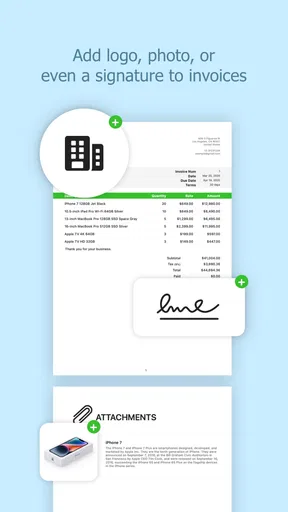
One of the first things that caught my eye was the variety of templates available. Whether you’re invoicing for a creative project or a consulting gig, there’s something for everyone. The customization options are pretty robust, allowing you to add your logo, adjust colors, and tweak layouts to align with your brand. It’s like having a mini design studio in your pocket.
Another feature that deserves a shoutout is the ability to create invoices in multiple currencies. If you're dealing with international clients, this is a lifesaver. You can easily switch currencies and even add tax rates specific to each client’s location. It’s these little touches that make a big difference in how you manage your business.
Time-Saving Automation
I’m all about efficiency, and the app doesn’t disappoint in this department. The recurring invoice feature is a godsend. For those regular clients, you can set up invoices to be sent automatically at scheduled intervals. No more manual entries every month! Just set it and forget it, knowing that your invoicing is handled without any hassle.
Plus, the built-in notifications ensure you never miss a payment. You get alerts for due dates and even reminders to follow up on overdue invoices. It’s like having a personal assistant who’s always on top of things.
Keeping Track of Expenses
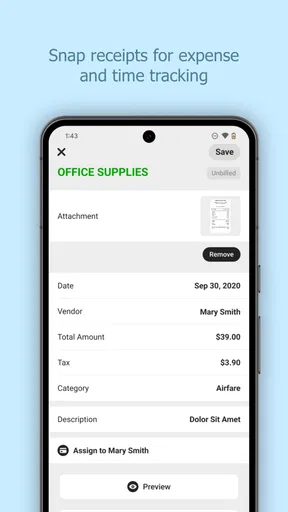
Let’s talk about expense tracking. The app does a fantastic job of helping you keep tabs on your spending. You can snap photos of receipts and attach them to expenses, which is super handy for tax season. Everything gets neatly filed away, making it easier to stay organized and ensure nothing slips through the cracks.
Integration and Syncing
In today’s digital age, integration is key. Invoice Maker - Tiny Invoice syncs seamlessly with various platforms, including cloud storage services. This means you can access your invoices from anywhere, whether you’re on your phone, tablet, or computer. It’s all about making sure your data is where you need it when you need it.
What to weigh before making it your system
For me, receipt photos are most useful when I deal with them immediately rather than saving a pile for later. After buying supplies for a job, I would record the expense and attach the receipt while the purchase is easy to identify. That creates a more reliable trail than trying to match a faded slip to a project weeks afterward. I would still keep any records my business needs outside the app as well, especially when preparing formal accounts or tax filings.
Notifications can prompt a follow-up, but they cannot decide how to handle a late payer. I would use a reminder as a cue to check the client history and send a polite message, not as proof that a payment has arrived or that a dispute is resolved. This distinction matters for anyone who has several invoices open at once: reminders help with attention, while a regular reconciliation habit is what keeps the records trustworthy.
There is also a branding trade-off. A tailored template can make a small business look more consistent, but spending too long choosing colors and layouts is a poor use of time if the invoice details are unclear. I would prioritize readable descriptions, payment terms, and correct client information, then make the visual style consistent once. A polished document is useful; a beautiful but confusing one is not.
Who should choose it—and who should look elsewhere
I can see this working especially well for a freelancer, tradesperson, consultant, or other solo operator who wants to issue ordinary invoices and keep receipts connected to spending. It is also a reasonable starting point for someone moving away from handwritten bills or one-off documents, provided their bookkeeping needs are modest. The free download lowers the barrier to trying the workflow, while optional purchases let users consider paid additions if they need them. The in-app purchase range runs from $4.99 to $199.99 per item, so I would check what a particular purchase includes before paying rather than assume every useful tool is covered by one upgrade.
By contrast, I would steer a team with multiple people approving expenses, complex stock or payroll needs, or detailed financial reporting toward a broader business platform. Someone who invoices rarely may be happier with a spreadsheet or document template and no extra app to maintain. And if your work depends on strict accounting integrations or specialized compliance rules, confirm that the workflow fits before treating it as the official record for the business.
Is It Worth the Download?
So, you’re probably wondering, is it worth it? In my honest opinion, yes. The app is free to download, with optional in-app purchases. The premium features are reasonably priced and offer additional functionality that can be invaluable as your business grows. Whether you're a solopreneur or a small business owner, this app has something to offer.
Its average rating is 4.5 from around 3.5 thousand ratings, and it has more than 100 thousand installs. Those figures suggest it has found an audience, but they would not make me skip a practical trial: I would create a sample client and invoice, check that the layout suits my work, and make sure the expense routine feels manageable before relying on it for live billing. That short test is also a good way to decide whether the free experience is enough or whether any paid option is genuinely relevant.
In conclusion, Invoice Maker - Tiny Invoice is a fantastic tool for anyone looking to streamline their invoicing process. It’s packed with features that make it easy to use, while still offering the flexibility needed to handle a variety of business needs. Download it, give it a try, and let it take some of the stress out of managing your finances. You might just find it’s the missing piece you’ve been looking for.
Verdict
Strengths of Invoice Maker - Tiny Invoice
- User-friendly interface for quick invoicing.
- Customizable templates enhance brand identity.
- Supports multiple currencies for global use.
- Cloud sync ensures data is always accessible.
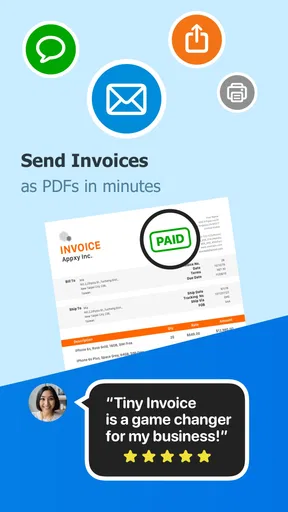
- Easy PDF export for seamless sharing.
Limitations of Invoice Maker - Tiny Invoice
- Limited features in the free version.
- Occasional syncing issues with cloud services.
- No integration with major accounting software.
- Limited customer support response time.
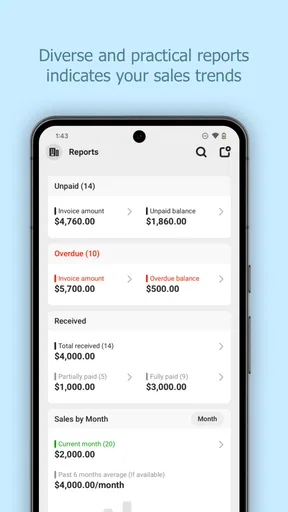
- Lacks advanced reporting tools.
Other Releases by TinyWork Apps
View All
Tiny Scanner - PDF Scanner App
Business4.6

Tiny Fax - Send Fax from Phone
Business4.6

Checkbook - Account Tracker
Finance3.6
Similar Picks in This Category
View All
LinkedIn: Community & Network
LinkedIn3.8

Zoom Workplace
zoom.com4.1

Microsoft Teams
Microsoft Corporation4.6

Meta Business Suite
Meta Platforms, Inc.4.6

Webex Meetings
Cisco Systems, Inc.4.5

TeamViewer Remote Control
TeamViewer4.4
Frequently Asked Questions
What features does Invoice Maker - Tiny Invoice offer?
Invoice Maker - Tiny Invoice provides a comprehensive suite of features for small business owners and freelancers. It allows users to create professional invoices, track expenses, and manage client information. The app supports multiple currencies, offers customizable templates, and enables users to set up recurring invoices and reminders, making financial management seamless.
Is the app user-friendly for beginners?
Yes, Invoice Maker - Tiny Invoice is designed with user-friendliness in mind. The intuitive interface makes it easy for beginners to navigate through the app. With step-by-step guides and a clean layout, even those without prior experience in accounting or invoicing can quickly learn to create and send invoices effectively.
Does Invoice Maker - Tiny Invoice support multiple currencies?
Absolutely, the app supports multiple currencies, making it ideal for businesses dealing with international clients. Users can easily switch currencies while creating invoices, ensuring accurate billing. This feature is particularly beneficial for freelancers and businesses that operate globally, helping them maintain consistency and professionalism.
Can I use Invoice Maker - Tiny Invoice offline?
Yes, one of the app's advantages is its offline functionality. Users can create and edit invoices without an internet connection, which is perfect for those who need to work on-the-go. Once an internet connection is available, users can sync their data, ensuring all information is up-to-date across devices.
Is my data secure with Invoice Maker - Tiny Invoice?
Data security is a priority for Invoice Maker - Tiny Invoice. The app employs robust encryption protocols to protect user information. Regular updates enhance security features, ensuring that sensitive data remains confidential. Users can also set up password protection for an added layer of security, giving peace of mind when managing financial data.
